Synthesizer Programming Pulse Demo: Roland M-OC1 (1995)

August 13th, 2026 by Keith Neufeld

The dark horse in my pulse sound programming demo is my Roland M-OC1 Sound Expansion / Orchestra module, built to provide a library of orchestral sounds for studio work. Let’s just jump right to the finished sound sample and then I can tell you about how to get there:

Final mix

“Cheaty McCheaterpants!” I hear you cry. “You have multiple instruments playing there — where’s the challenge in that?!”

Well, this whole series is about how to achieve as close as possible to a particular imagined pulsing sound using the particular features (or working around the particular limitations) of different synthesizers; and this one has particular features that are particularly well-suited to this particular task.

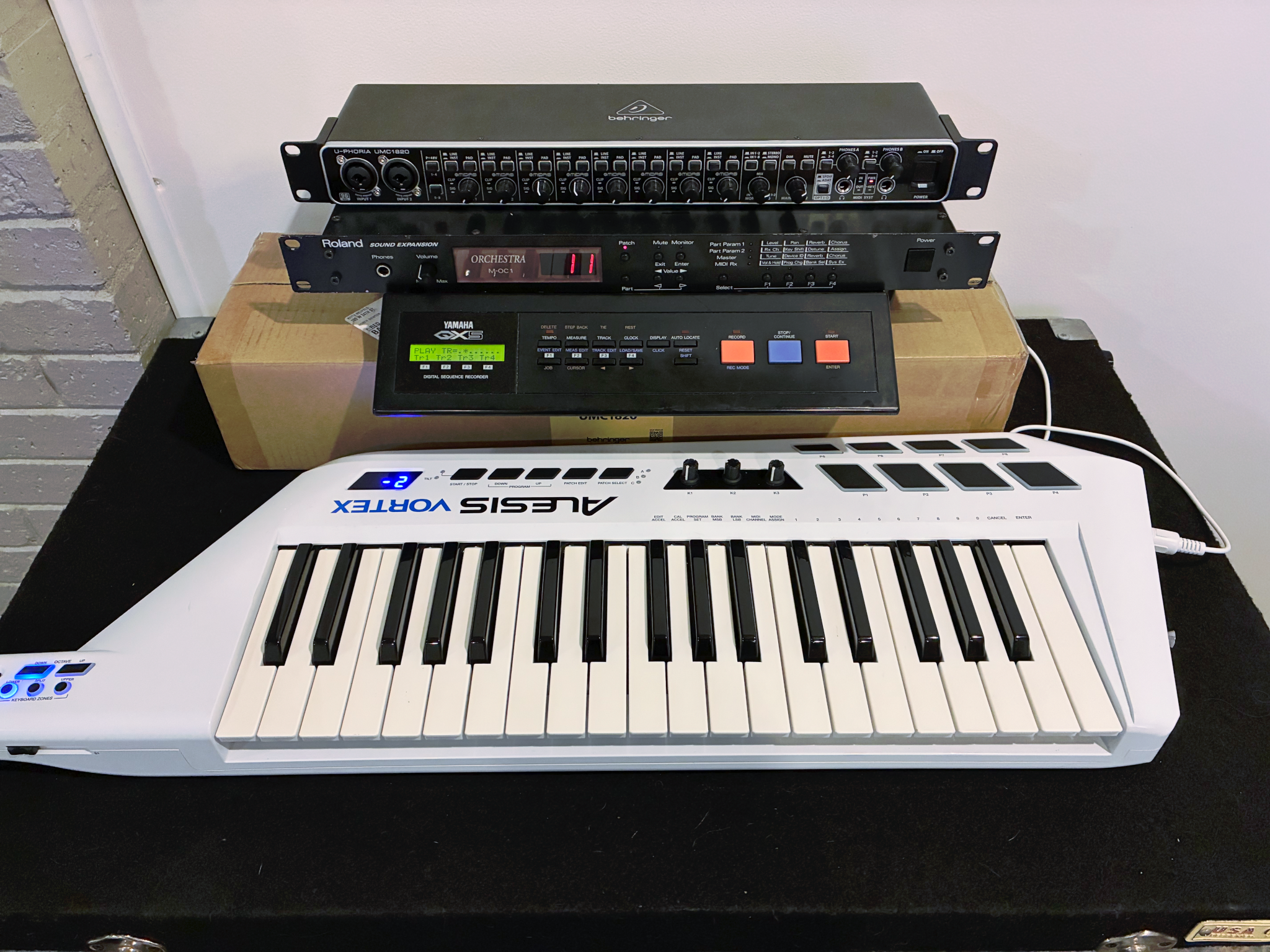
Roland M-OC1 orchestral sound module

(rackmount module second from the top)

Features:

  • 28-voice polyphony across 8 “Parts” (instruments)
  • Stereo audio output
  • All voices played from PCM-encoded waveforms of recordings of real instruments
  • Velocity received and used, in some cases not only for amplitude but for the way instruments sound different when played at different dynamics

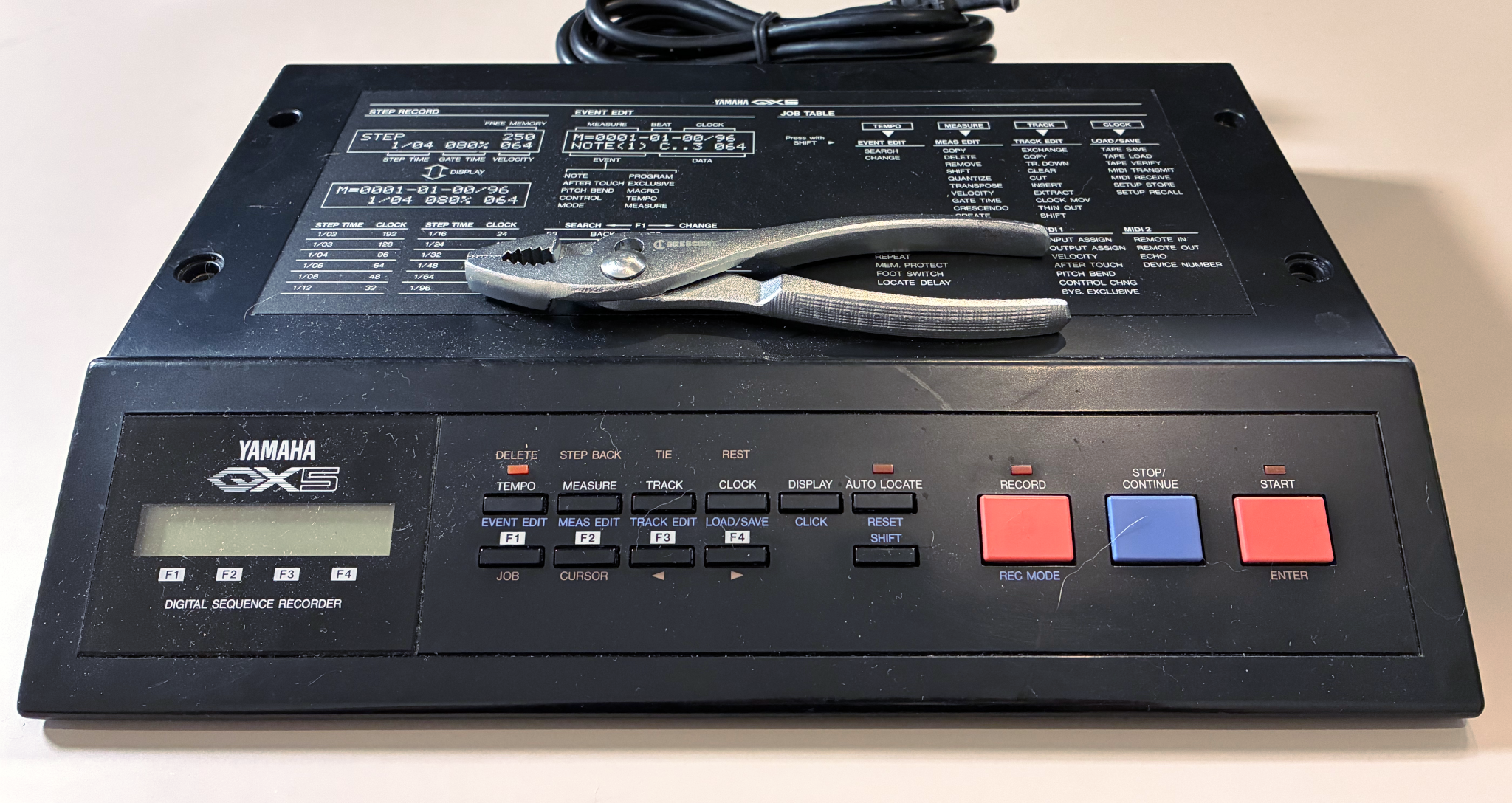
Let me walk you through the orchestration and development of that sound sample on this platform, which relied heavily on the Yamaha QX5 (1986) MIDI sequencer for execution.

Read the rest of this entry »

Synthesizer Programming Pulse Demo: Behringer Neutron (2018)

August 7th, 2026 by Keith Neufeld

The next synthesizer for my pulse sound programming demo is my Behringer Neutron, a semi-modular analog synthesizer original to Behringer. It has signal paths hardwired internally but they can be interrupted, rerouted, and supplemented using the physical patch bay. It has no keyboard, so I’ve provided MIDI input.

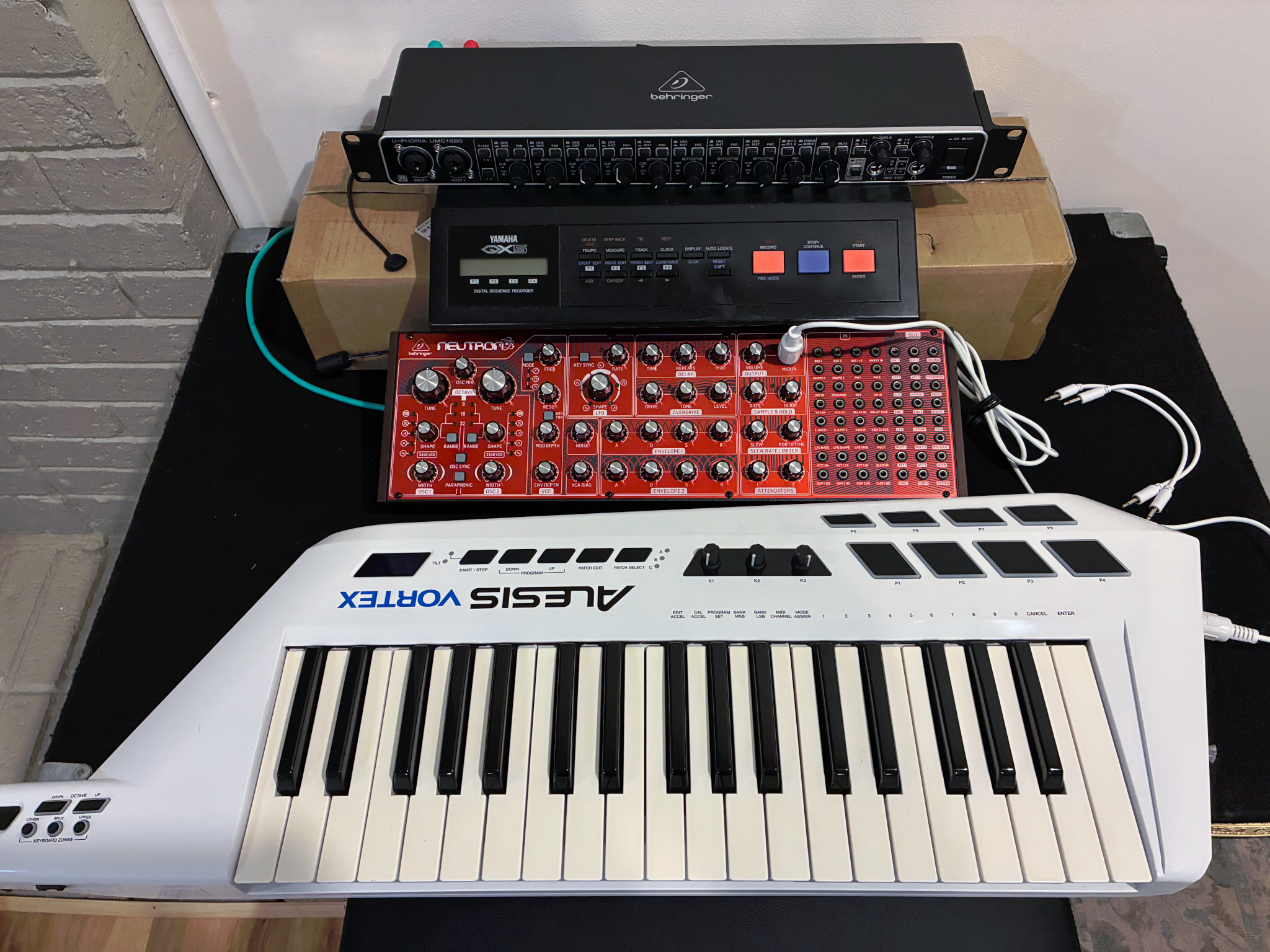
Behringer Neutron synthesizer and Alesis Vortex keytar

Features:

  • Monophonic — plays only one note at a time — or paraphonic (can split the two oscillators to separate notes)
  • Monaural — one-channel audio output
  • 2 voltage-controlled oscillators (VCOs) — sine, triangle, sawtooth, square, or PWM — pitch is controlled by voltage and I don’t find it particularly stable
  • patch bay that can patch almost any signal to the control input of almost any other signal
  • 1 low-frequency oscillator (LFO) — sine, triangle, sawtooth, square — that’s hardwired to modulate VCF (and maybe more things I’m overlooking) and can be patched to modulate anything
  • 2 ADSR envelope generators that are hardwired to modulate amplitude and VCF and can be patched to modulate anything
  • Velocity received; can be configured to control VCF and can be patched to modulate anything
  • Numerous other features that I won’t use and one that I’ll describe when I do

Let’s get programming.

Read the rest of this entry »

Synthesizer Programming Pulse Demo: Roland JX-8P (1985)

July 30th, 2026 by Keith Neufeld

The chronologically next two synthesizers for my pulse sound programming demo were to be my Unique DBE (Crumar BIT 01 North American rebrand) and Roland Juno-106, but alas, both of them have problems (the Juno had been working for the last two weeks but Sunday I left it on for a couple of hours and now it doesn’t work) that I’m going to have to delay a bit before fixing.

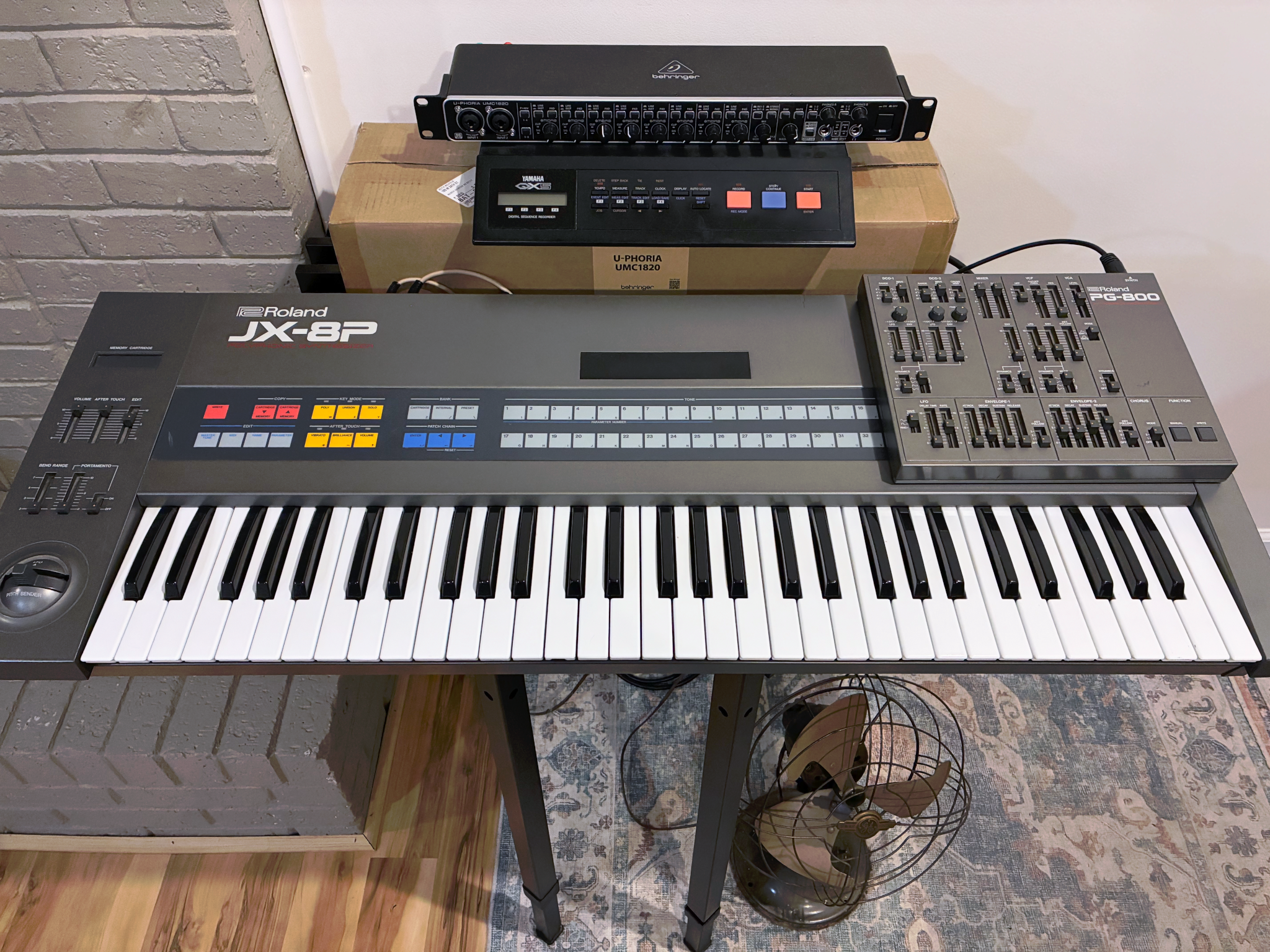
Roland JX-8P synthesizer

So on to the Roland JX-8P, my first and most sentimental synthesizer. Ken Janzen (the younger Ken Janzen) was a music whiz who’d occasionally bring his JX-8P (and sometimes sequencer) to church for special music during my formative years. Then in college I got access to another JX-8P thanks to the forward-thinking Don Kehrberg, which I ended up buying from the college a few years later. This one is my third — that is, I have three now — just picked up for a good price on Marketplace and noting some glitchy contacts that will require attention sooner or later. I love this synthesizer obviously for the nostalgia but also for the fat sounds it makes with detuned oscillators, a little bark from the VCF, and what I find to be a particularly lush chorus.

Features:

  • 6-voice polyphony
  • Stereo audio output
  • 2 digitally-controlled oscillators (DCOs) — sawtooth, PWM, square, or triangle — pitch is controlled digitally and is as solid as you want it to be
  • 1 low-frequency oscillator (LFO) — sine, square, or random — that can modulate pitch, PWM, and VCF (not amplitude)
  • 2 ADSR envelope generators that can modulate pitch, PWM, VCF, and amplitude
  • Velocity-sensing keys and performance
  • Onboard chorus

Let’s get programming.

Read the rest of this entry »

Synthesizer Programming Pulse Demo: Behringer Odyssey (1972 / 2019)

July 26th, 2026 by Keith Neufeld

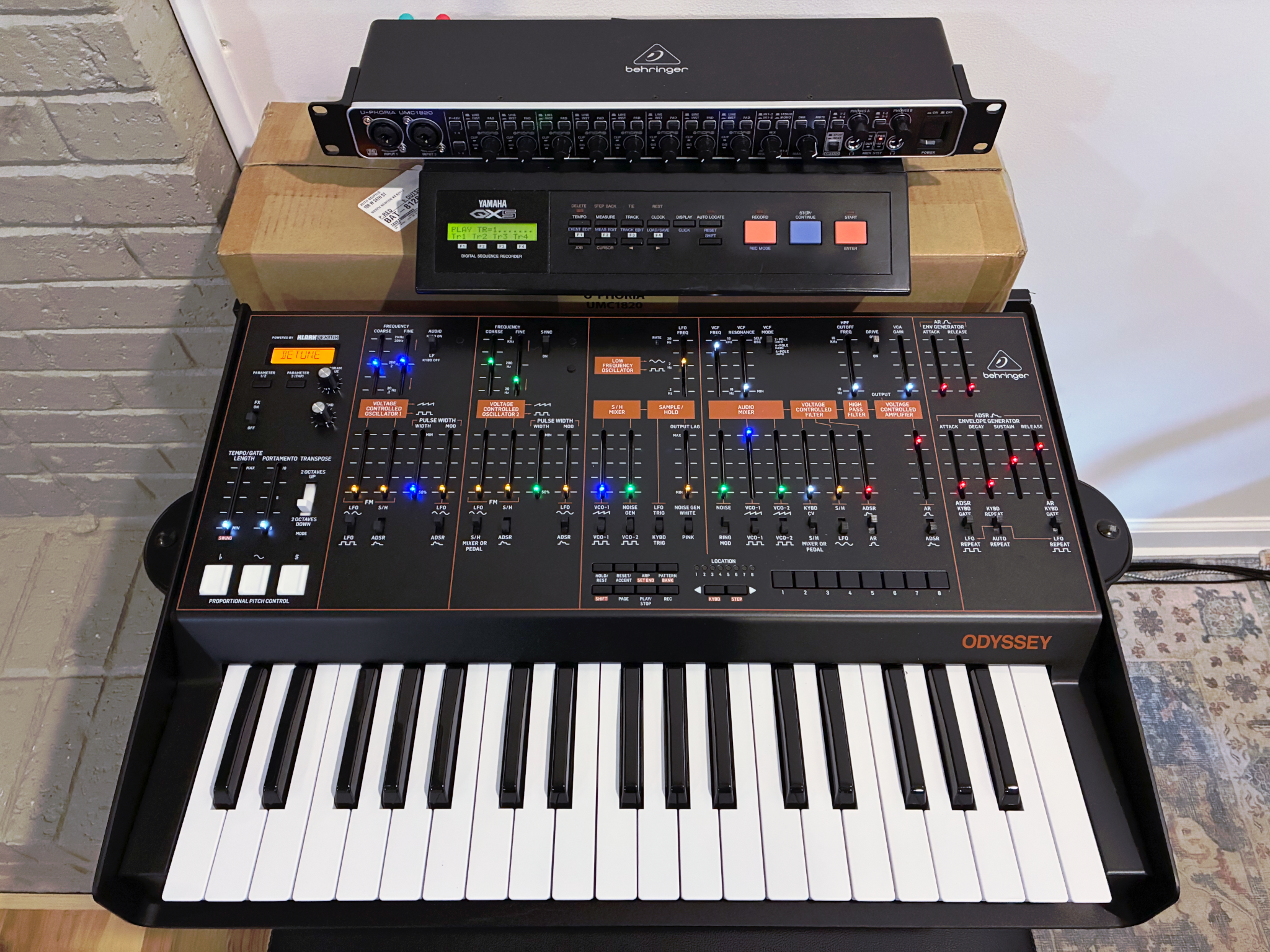
The first synthesizer for my pulse sound programming demo is my Behringer Odyssey, an analog-circuit-faithful replica of the legendary ARP Odyssey, which was first manufactured in 1972.

Features:

  • Monophonic — plays only one note at a time — or paraphonic (can split the two oscillators to separate notes)
  • Monaural — one-channel audio output
  • 2 voltage-controlled oscillators (VCOs) — PWM or sawtooth — pitch is controlled by voltage and is … variable
  • 1 low-frequency oscillator (LFO) — square or sine — that can modulate pitch, PWM, VCF, and amplitude
  • 2 envelope generators — AR and ADSR — that can modulate pitch, PWM, VCF, and amplitude
  • On the Behringer replica, velocity-sensing keys but no incorporation of the velocity in the Odyssey’s audio; for MIDI transmission only
  • Numerous other features that I won’t use and one that I’ll describe when I do

Behringer Odyssey Synthesizer

Let’s get programming.

Read the rest of this entry »

Synthesizer Programming: Pulse Demo Overview

July 26th, 2026 by Keith Neufeld

Keith, why do you need so many synthesizers?

Well, they do different things.

I do have some synthesizers that only have built-in sounds; but the ones that speak to me the most are the ones where you build the sounds yourself. I’ve been thinking about a particular sound and how it would be made differently (and to different degrees of success) on different synthesizers and thought I’d demo that process on a representative sample of each underlying architecture.
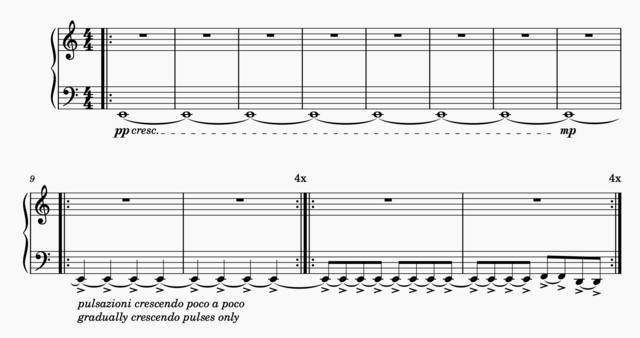
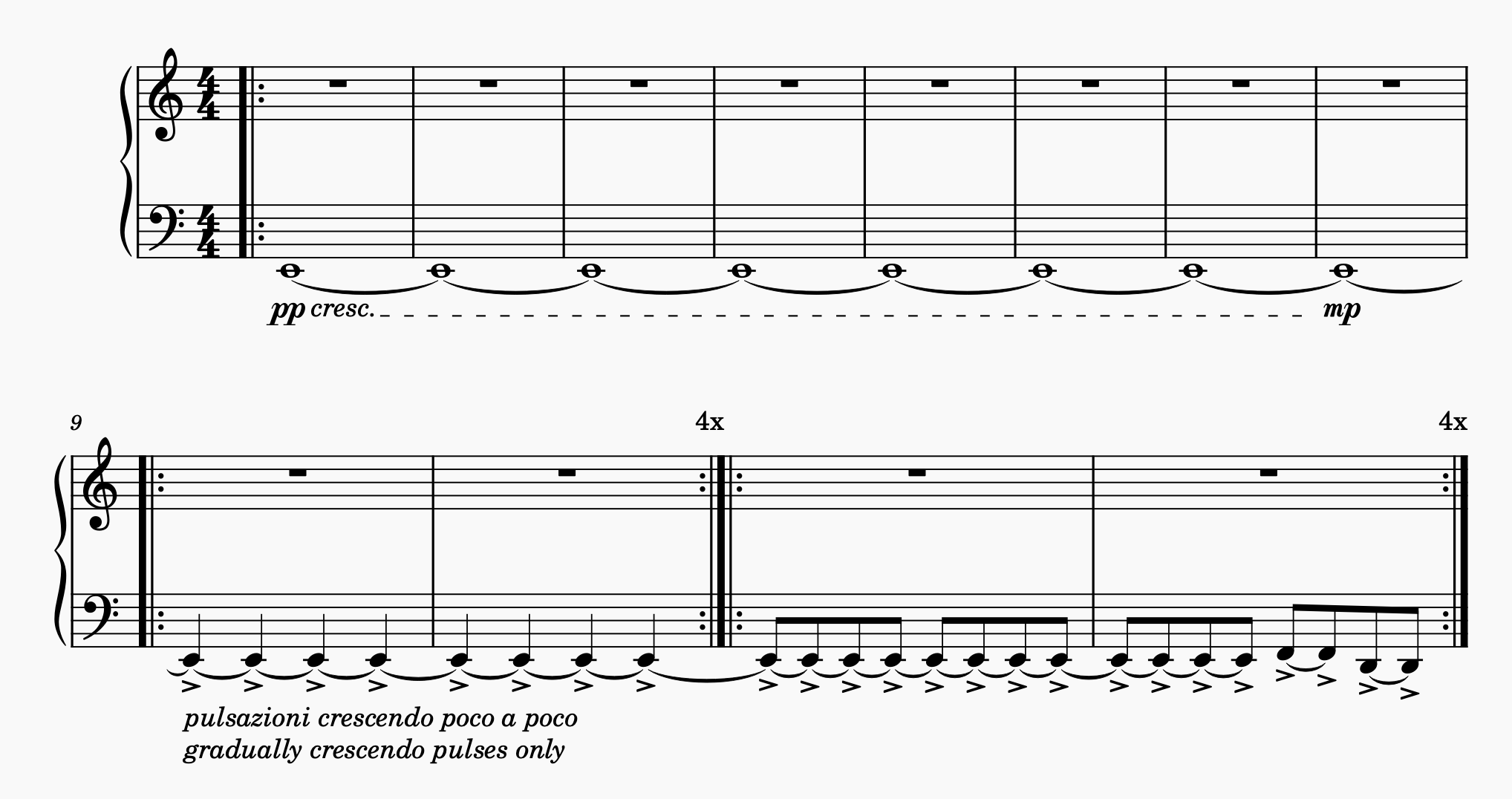
musical notation showing a held note being pulsed louder and louder

Traditional musical notation doesn’t have a clear way to capture exactly what I have in mind, so let me walk you through it: A low E is gradually faded in; then imperceptibly at first it starts getting pulses on the quarter notes, with the underlying sound held constant between the pulses as only the pulses grow louder; then the pulses speed up to eighth notes and the pitch starts changing in a repeating pattern. The measure and repeat counts are arbitrary and selected here mainly to have room to write the notations.

Further and not notated, I want the held note to be a fairly dull sound and I want the pulses to be “w-w-w” and eventually “wuh-wuh-wuh” sounds — not sharp; also dull.

What’s going to be difficult about programming synthesizers to do this is increasing the dynamic (amplitude) of only the pulses while holding the drone at a constant amplitude. Only one that I have lined up can actually do it natively and I believe only other other can do it with coaxing.

MuseScore

As a side note for the curious, that score clip is engraved using MuseScore, the zero-cost open-source music notation software. I have a fair amount of sheet music I notated years ago in commercial music notation software that went out of business and now I can’t open it and I didn’t have the foresight to export to PDF; so where I’m lucky, I still have a hardcopy I can find and where I’m unlucky, it’s locked away and I don’t expect to be able to get it back.

From time to time I’d look for an open-source replacement and kept finding MuseScore but never did anything with that information until earlier this year, when I needed to do more music notation, installed it, and love it. It’s fairly easy to use; it does gorgeous typesetting; and it gives you control over every tiny little detail of the typesetting.

If you’re looking to try it, I highly recommend keeping it open in one window and Gemini open in another. When you want to do something, just ask Gemini how. It’s infinitely patient and often correct. Very good for instructions on basic operations; nearly useless for deep menu diving for fine-tuning typesetting.
ESP-WROOM-32 with ST7789 LCD (Wiring, Adafruit_GFX and Adafruit_ST77* Libraries, and Arduino Code)

April 17th, 2025 by Keith Neufeld

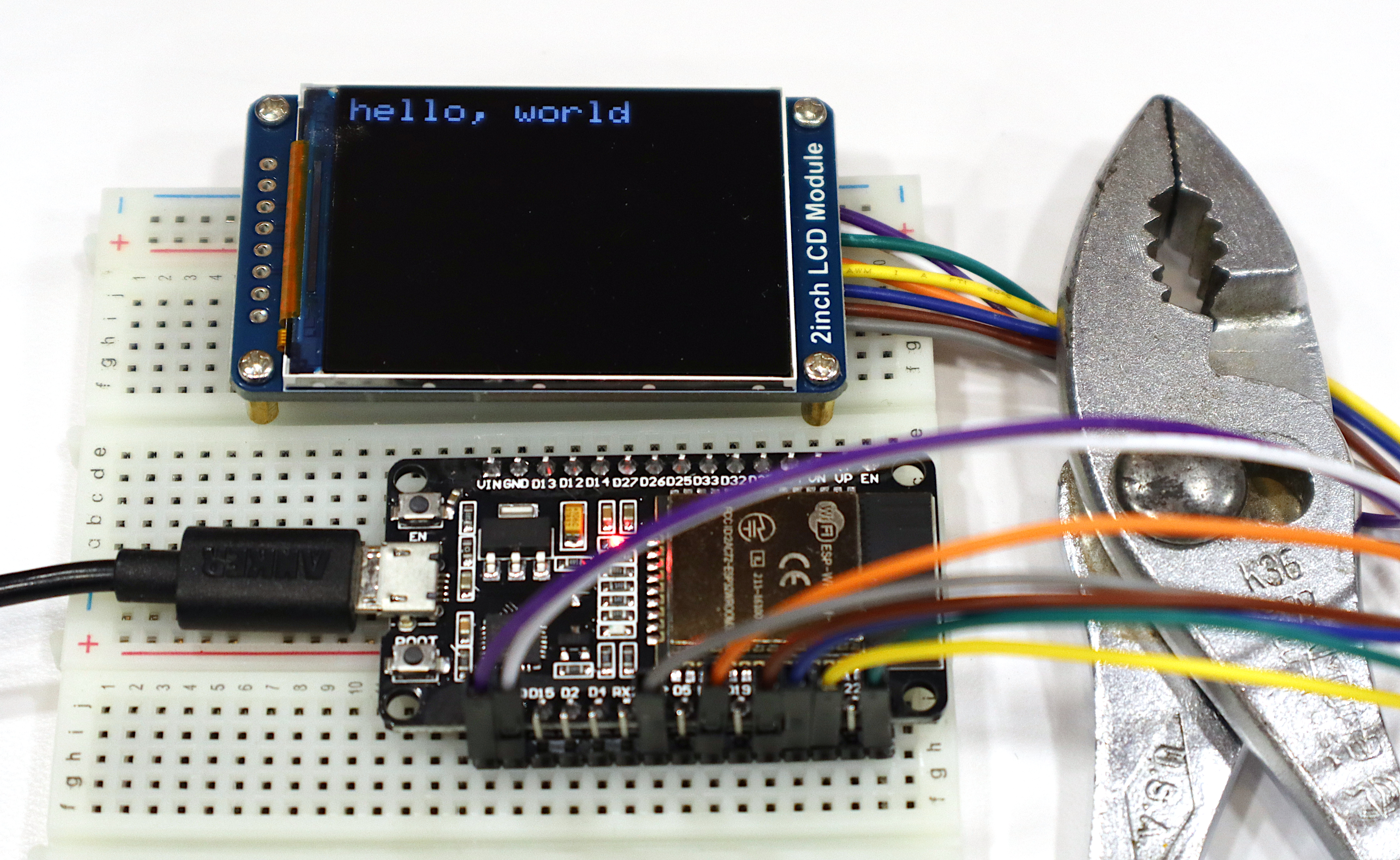
I’m wanting to play with a medium-resolution LCD screen attached to something that I can program from the Arduino IDE and I happen to have some “AITRIP”-branded ESP-WROOM-32 modules on hand. Connecting an ST7789-driven LCD to one of them involved filling in a number of gaps in the documentation I was able to find, so let me write it all down in one place in case it’s useful to someone else, including Future Keith.

ESP-WROOM-32 driving Waveshare 2.0-inch LCD

The LCD I bought is a Waveshare 2.0″ LCD using an ST7789V driver chip, a variant of a popular (the popular?) LCD driver.

Read the rest of this entry »

ESP32 Modules in Breadboards

April 14th, 2025 by Keith Neufeld

A frequently-heard refrain is that ESP32 modules are so inconvenient because with their 1.0″ spacing between header rows, in the standard installation, their footprint covers all but one horizontal row of holes on a breadboard; and kids these days like using fly-wire-style breadboard jumpers rather than trace-style breadboard jumpers (which would work underneath it).

This should be regarded as irritating rather than intractable. I present here two workarounds and leave the discovery of more as an exercise for the reader.

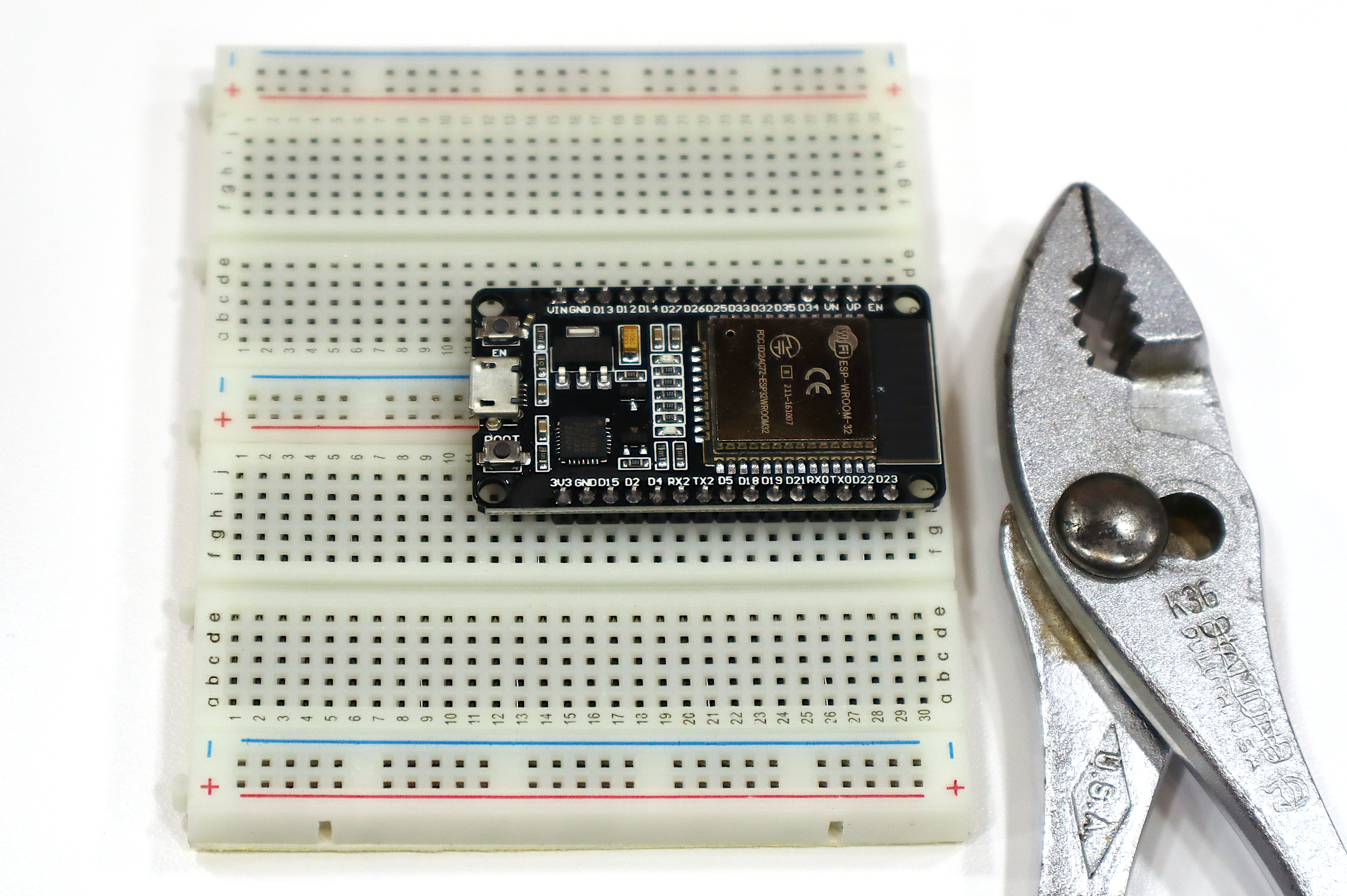
ESP32 module installed on modular breadboard system

Option 1, remove one power-strip row from a modular breadboard and dovetail-pin that breadboard onto another. Install the ESP module over the new “power gutter” and revel in the luxury of plenty of rows for connecting jumpers.

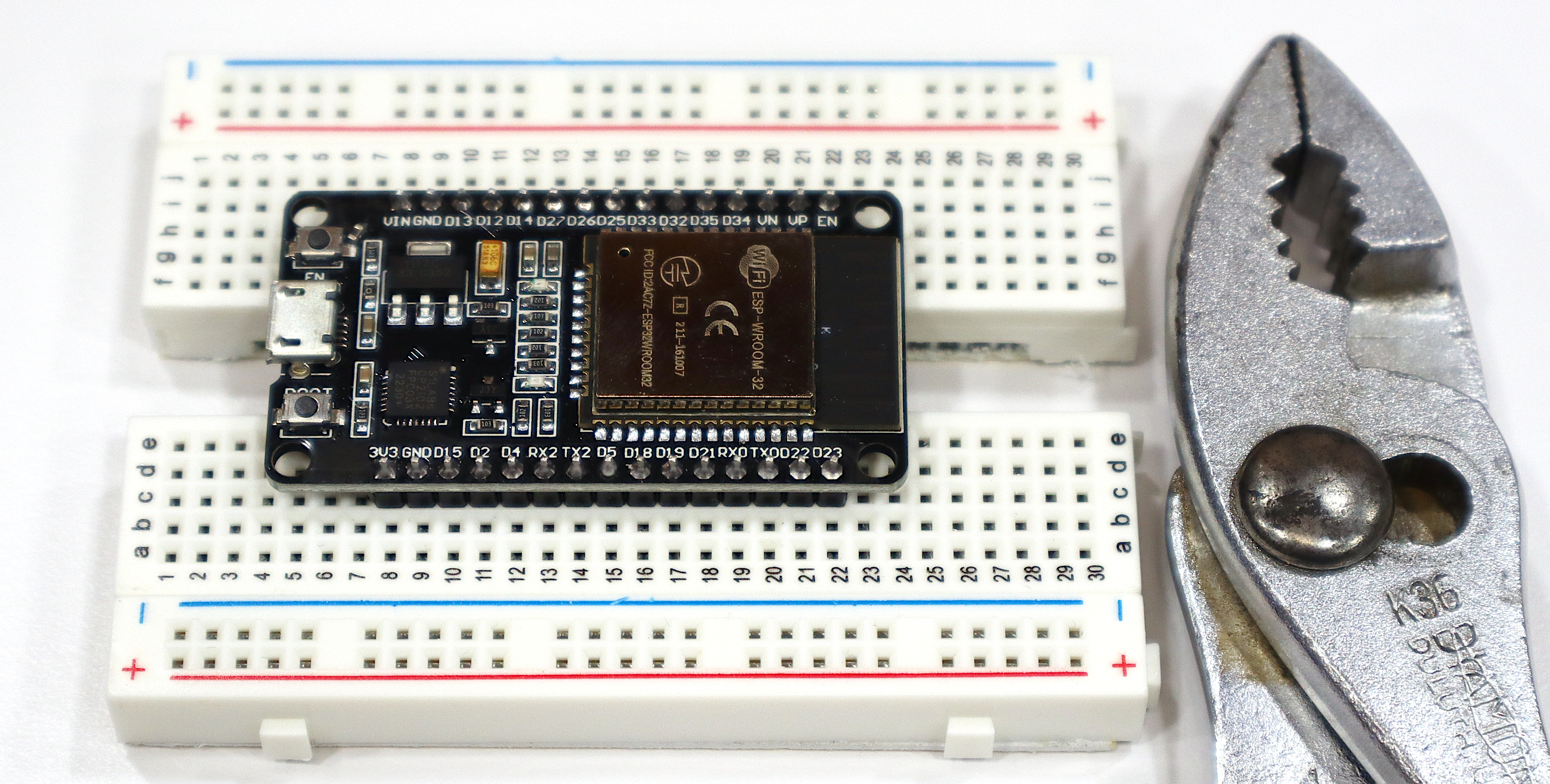
ESP32 module installed on modified breadboard system

Option 2, SAW THROUGH THAT and revel in the luxury of plenty of rows for connecting jumpers.

Footnote: Use a hacksaw. Its finer teeth cut without snagging like a wood-cutting saw’s teeth would do; I don’t want to contemplate the kind of workholding it would take for me to feel safe using a tablesaw or circular saw on this; and you would be so startled the moment a wood-cutting bandsaw’s teeth first engage in the edge of the plastic and the blade leaps toward you.

ESP32-WROOM-32 in Arduino IDE

April 14th, 2025 by Keith Neufeld

Back in 2021 I documented the process of installing and selecting support for a particular ESP8266 into the Arduino IDE, in case it would help anyone else and as a reference for the next time I needed to do it myself. Well, here I am back again doing the same to bootstrap myself on the ESP-WROOM-32 aka ESP32-WROOM-32.

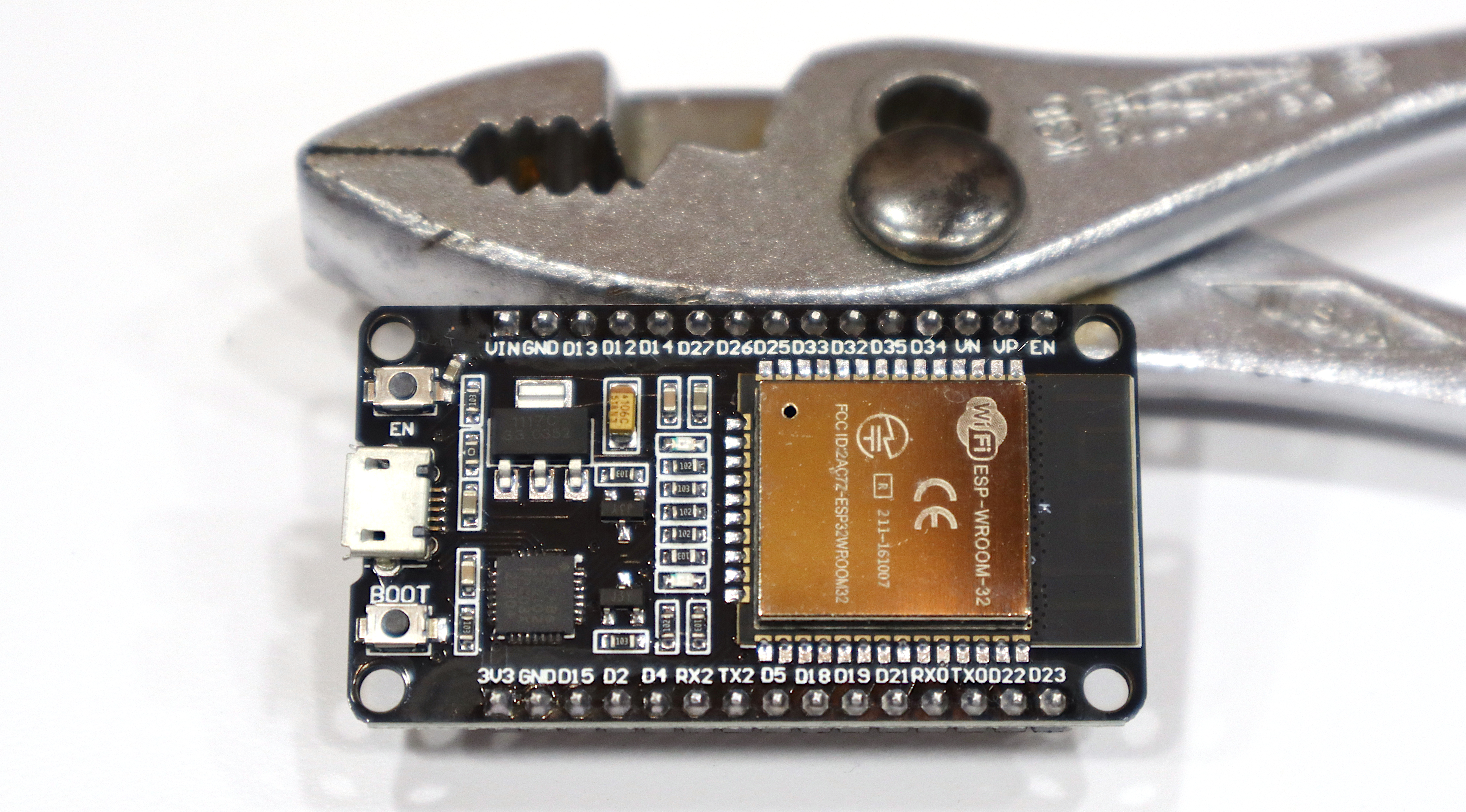
ESP-WROOM-32 board

My refresher on the basics came from https://samueladesola.medium.com/how-to-set-up-esp32-wroom-32-b2100060470c, although he had to go through some steps I didn’t and vice-versa.

Adding Espressif URL to Arduino IDE board manager list

First, go to File / Preferences / Additional boards manager URLs and add
https://dl.espressif.com/dl/package_esp32_index.json to indicate another repository to search for board definitions.

Arduino IDE board manager

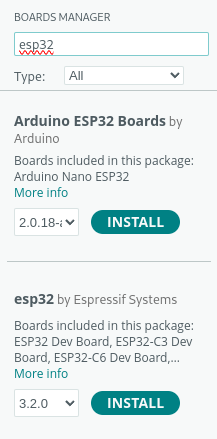
Then Tools / Board / Boards Manager... to pick an available board bundle, start typing esp32, and click to install esp32 by Espressif Systems .

I’m installing this on my Linux workstation so I had to give myself permission to access the USB port, which was:

sudo usermod -aG dialout neufeld

To make that group change take effect, I was only supposed to need to logout; but doing so added me to the entry in /etc/group but didn’t activate the group membership when I ran id or tried to access the device file. I had an OS update to apply anyway so I rebooted and all was well.

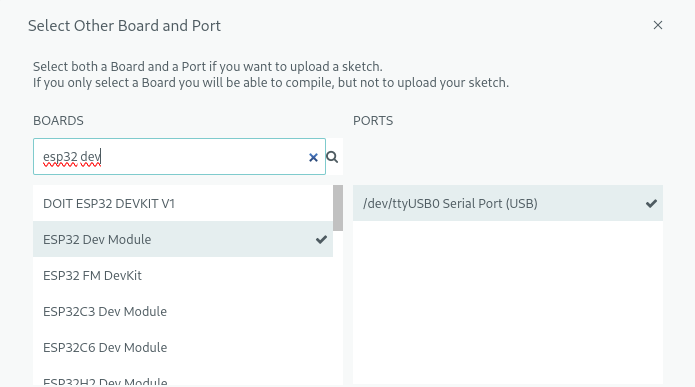
Picking ESP32 Dev Module from Arduino IDE board selection list

Back in the Arduino IDE, Select Other Board and Port, start typing esp32 dev into the board search, and pick ESP32 Dev Module when it popped up.

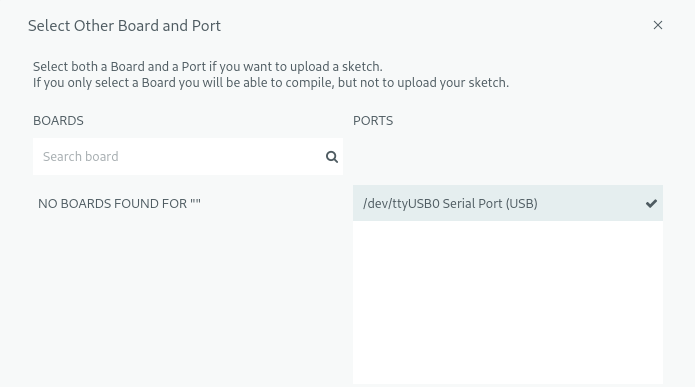
Arduino IDE board selection list with nothing picked

Weirdly, even with the USB serial port selected (and accessible), it complains that no boards were found — but it works.

Finally, File / Examples / 01.Basics / Blink to make sure I can compile and upload code to the correct board.

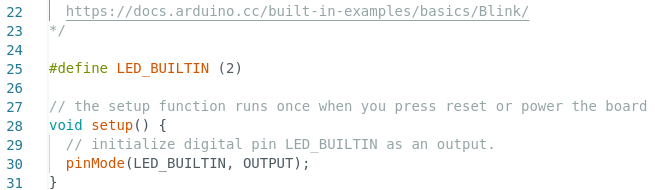
Defining LED_BUILTIN for Arduino Blink sketch on board that doesn't define it

Blink relies on an LED_BUILTIN macro that’s not defined in this Espressif board spec. This forum post suggested pin 2 for the built-in LED on this board and adding

#define LED_BUILTIN (2)

did the trick. Compile, upload, and I have a blinking blue LED next to the red power LED.

AoC 2023 D8P1: Traversing a Digraph

December 9th, 2023 by Keith Neufeld

Day 8 part 1 gives us a directed graph of nodes with links to two (hopefully other) nodes and a set of dance moves to perform through the graph; how many steps to get from AAA to ZZZ at the end of a dance pattern? (A lot more steps if you stray into DDD, EEE, or GGG.)

RL

AAA = (BBB, CCC)
BBB = (DDD, EEE)
CCC = (ZZZ, GGG)
DDD = (DDD, DDD)
EEE = (EEE, EEE)
GGG = (GGG, GGG)
ZZZ = (ZZZ, ZZZ)

All one need do is make a hash of the nodes with their branches, then dance through it.

Read the rest of this entry »

AoC 2023 D7P2: Pseudo-Poker Hands with Wildcards

December 9th, 2023 by Keith Neufeld

Part 2 redefines J from jack to joker, making jokers wildcards when determining type of hand but the lowest value when comparing individual cards. This requires very little modification to the part 1 program:

my $cardlist = "AKQT98765432J";

Change the card sort order;

my $jokers = grep { $_ eq "J" } @cards;

count the jokers;

++ $tally{$_} foreach grep { $_ ne "J" } @cards;

omit the jokers when counting cards for type of hand;

$ofakind[0] += $jokers;

and in this poker variant, simply add the count of jokers to the count of the most-frequent card when determining type of hand.

Read the rest of this entry »